It starts with us asking how your store works. You show us your current price list, slips and pay rules, and we set everything up exactly that way. The first month is a trial, and ¥0 if it doesn't fit. You try it alongside your current way of working, and we fix anything that doesn't fit on the spot.
We ask about your store's rules first, and we build the settings
Try it for a month, ¥0 if it doesn't fit. Try it alongside your current way of working
You can start while still using paper slips
After you start, changes are just a request from the screen
Demo screens are shown in Japanese. Stores can switch their screens to English on each device.
Five steps to getting started
None of the steps stops your business.
1
Consultation
We ask how your store works: your current price list, sample slips, pay and back rules, closing day and pay day. Whether to keep your current register or bring the register into one system is something we think through together here too. Anywhere in Japan, we visit your store first and talk it through in person (the travel fee is free for the first visit). It can also be done online or by phone alone. Get in touch through the contact form or by phone.
2
Quote
The price depends only on your store size (from small to extra-large). All prices shown include tax, and the setup fee is ¥0. Store size is not decided by store type alone; we decide it together, based on how your store actually runs, as discussed at the consultation.
3
Setup (month 1, trial)
We build the price calculation, pay and back, and the slip and screen formats to the rules you told us. Meanwhile, you can try it alongside your current way of working. If you run checkout on Store Portal, we also build your table map from your floor plan.
4
Training
We show the owner the business screens, staff the slips and "Daily Entry" (plus the table map and register close if you run checkout on Store Portal), and cast members how to open My Page. Sign-in is a single PIN, so there isn't much to remember.
5
Go-live
You can start while still using paper slips. Anything that comes up as you use it ("I want this changed") goes in from the top right of the screen, with a photo and a few words. Improvements reach you automatically.
What helps at the consultation
You don't need all of it. We can start with whatever you have.
Your current price list (sets, extensions, nominations, dohan, drinks, bottles)
How tax and service charge are applied, and your rounding rules
Sample slips (handwritten, or from your current register)
Pay and back rules (hourly wage, daily wage, back amounts, how back is split)
Closing day and pay day
Number of cast and staff
Your floor plan, or photos of the inside of your store (if you run checkout on Store Portal)
What you want on receipts and formal receipts (store name, registration number, company seal, etc.) (if you run checkout on Store Portal)
How to use the first month's trial
The first month is the time to try it and for us to build your custom settings. If it doesn't fit your store, you stop and pay nothing. If you continue, the monthly fee starts from month 1. You use Store Portal, set up with the rules you told us, alongside your current slips or register.
Compare the same day's sales and the same closing day's pay with your current figures. "This is different" or "We need this item": we fix it on the spot. Many rules only come to light once you start using it, so we finish it over this month.
If you run checkout on Store Portal, we also finalize your table map and the formats of your receipts and formal receipts during this time.
What you use it on
Store Portal runs in the browser on your own phone, iPad or PC. There is no dedicated app. Add it to your home screen and it opens like an app.
If you run checkout on Store Portal, you can print receipts, formal receipts and the register close too.
After you start
Getting started is not the end.
Improvements reach you automatically
Feature improvements and bug fixes are applied automatically. There is no update work at your store. We use it in our own stores every night and keep fixing it, so the improvements keep coming.
Changes are just a request from the screen
From the top right of the screen you are using, circle the spot on a photo and add a few words. Your store name, the screen and the version are attached automatically. The progress, from "Received" to "Fixed", also shows on your store's screen. Improvements to fit your store cost nothing extra. Learn more
For urgent problems, just call us
When you need help right now during business, call us as you always have. The number is also shown at the bottom of the "Report an issue" screen.
Pricing
The price depends on store size (¥9,800 to ¥55,000 a month). All include tax and the setup fee is ¥0. Try it for a month; if it doesn't fit, you pay nothing. For details, see the pricing page.
Store Portal
Every feature. Priced only by store size
Small
Monthlyfrom ¥9,800(tax incl.)
Setup fee¥0
Small-to-medium
Monthly¥22,000(tax incl.)
Setup fee¥0
Medium-to-large
Monthly¥33,000(tax incl.)
Setup fee¥0
Larger stores
Large¥44,000
Extra-large¥55,000
a month, tax incl.
No app to install. It runs in the browser on your phone or computer
On every plan, the setup fee is ¥0. Try it for a month; if it doesn't fit, you pay nothing. The first month is the time to try it and for us to build your settings. If you continue, the monthly fee starts from month 1.
All prices include tax.
The first month is the time to try it and for us to build your settings. If it doesn't fit, you pay nothing; if you continue, the monthly fee starts from month 1.
The setup fee is ¥0 on every plan.
For small stores, only at the start of the contract, the monthly fees for months 1 to 3 are paid together in advance (monthly after that).
Ask us whether it can work the way your store does.
It depends on how many rules your store has. If your price list and pay rules are ready, it goes quickly; the more detailed rules there are, the more time we take. We finish it during the first month's trial while you try it alongside your current way of working. Let's talk about the schedule at the consultation.
QCan we keep using paper slips alongside it?
A
Yes. Until you get used to it, you can keep your paper slips and enter them into Store Portal after closing. If you run checkout on Store Portal too, you can switch over during the first month while using it alongside your current register.
QWhat happens to the data we have now (past sales, customer book)?
A
How past figures can be carried over depends on the form your store has them in. Please ask us. For the customer book, you can also register customers by photographing the business cards you have received (business-card reader).
QCan staff who aren't good with technology use it?
A
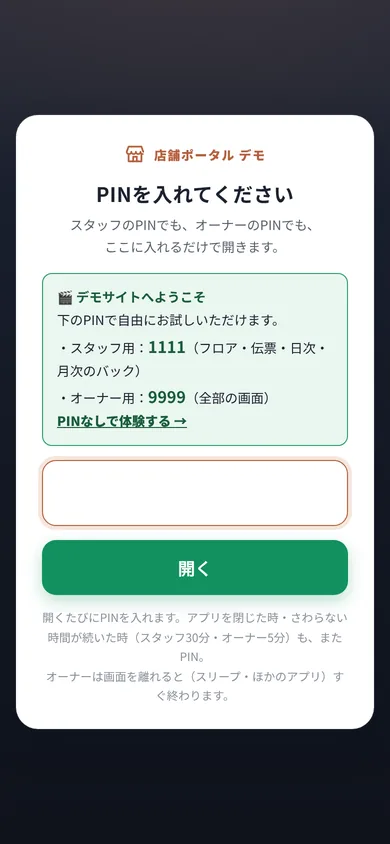
Sign-in is just a PIN. On a slip, you only choose set, extension, nomination and drinks, and the amount due comes out automatically. There is no app to install. We show you how to use it before you start, and anything unclear can be sent straight from the screen you are using. Try the demo first (staff PIN 1111).
QCan we stop partway?
A
Please talk to us first. The first month is a trial, so you can try it alongside your current way of working during that time and decide whether to continue. If it doesn't fit, you pay nothing.